Connect site data to your existing tools.
Qflow captures, checks and structures construction site data, then connects it to the systems your teams already use for project management, ESG and decision-making.






Qflow connects to the tools your teams already use.
Features
Construction data integrations that make site information usable.
Qflow helps teams move trusted site data into the tools that matter, so information captured at the gate can support reporting, reconciliation, dashboards and decision-making.
Project Management
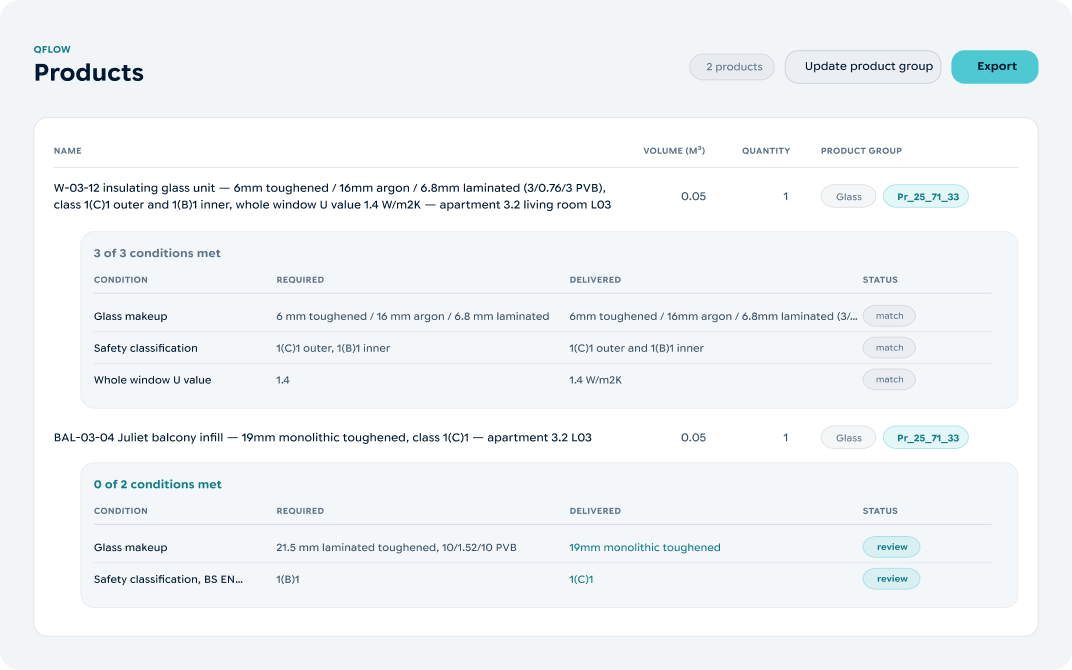
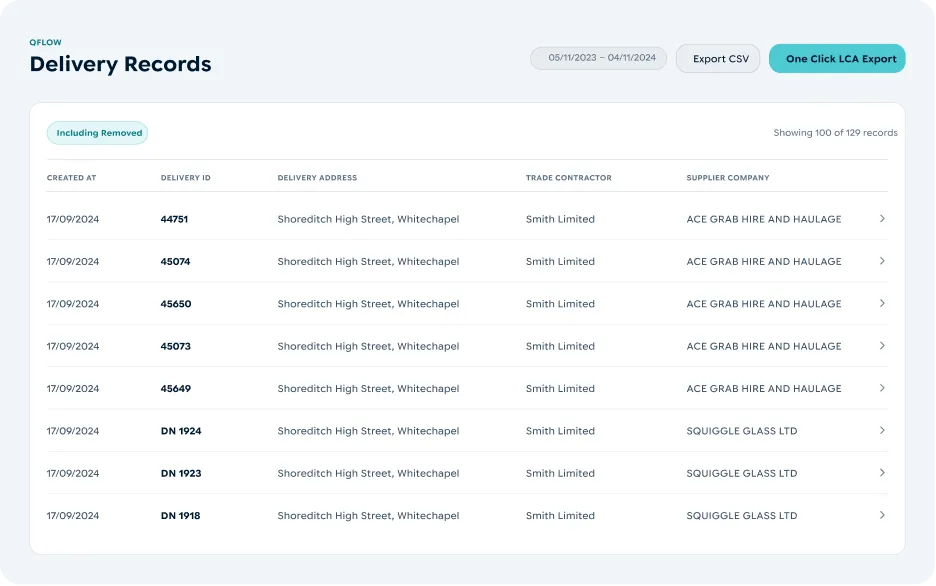
Qflow integrates with Procore and Autodesk Construction Cloud. Delivery records, evidence and alerts flow into existing workflows, connecting what was designed with what happened on site, without another data silo.
Sustainability Reporting
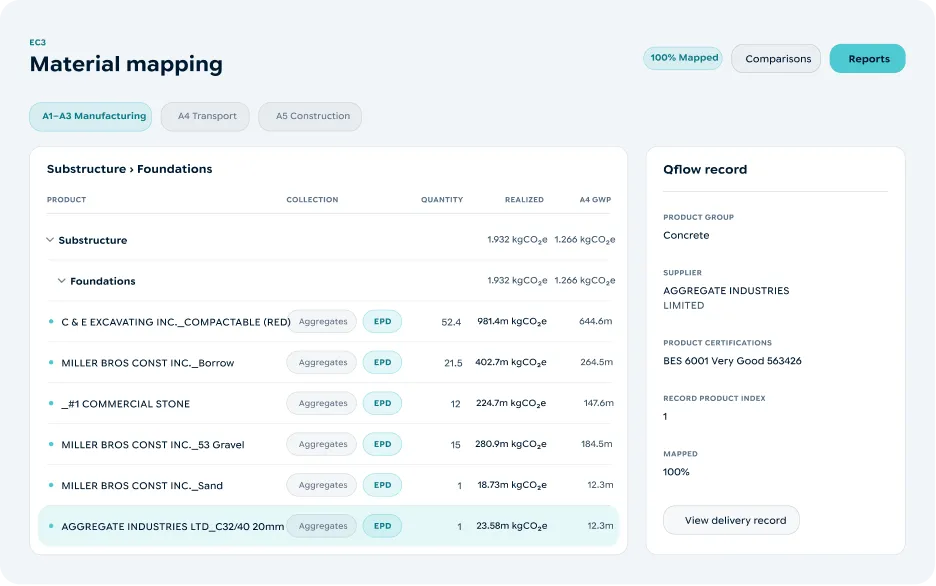
Qflow connects trusted site materials and waste data to EC3, One Click LCA and SmartWaste for carbon and environmental reporting. Structured data flows into familiar tools, reducing manual preparation and linking site activity to reported results.
Custom Integrations
If you don’t see your system listed here, please speak with our team about potential integrations. Our API is also available for your teams to leverage directly, on top of the pre-built integrations that we offer.
Features
Construction data integrations that make site information usable.
Qflow helps teams move trusted site data into the tools that matter, so information captured at the gate can support reporting, reconciliation, dashboards and decision-making.
Data captured
Qflow can receive site data from third-party platforms, so teams don't have to change how they work.
01Data digitised
Qflow turns site records into structured digital data, cleaning and enriching information as it’s captured.
02Data mapped
Data fields are mapped to third-party systems, enabling seamless sharing of materials, waste and performance data.
03Data integrated
Through APIs, Qflow data flows into your existing systems, supporting better reporting, project management and decision-making.
04


Turn trusted site data into valuable actions.
Book a demo to see how Qflow captures, checks and reports your material, waste and carbon data.
News & Insights
Resources to build site better data.
Read insights, reports and practical guides on construction waste, carbon, materials, compliance and the changing role of data in the built environment.

Frequently Asked Questions
Qflow combines automation, algorithms, frontier AI models, real-world construction data and human verification to capture, enrich and check site information. Rather than relying on OCR or AI alone, Qflow uses multiple layers of technology and human expertise to create the high-quality, audit-ready data needed for reliable reporting, analytics and decision-making.
Qflow automates the capture, checking and enrichment of site data, removing hours of manual data entry, chasing records, checking information and cleaning spreadsheets. Having this data readily available also avoids the need for you to chase your supply chains to upload monthly reports, giving you greater visibility on-site.
Qflow captures delivery notes and waste transfer notes from site, while design specifications and other pre-construction documents can be uploaded to compare what was planned with what was actually delivered.
Yes. Qflow creates a clear, traceable record of the materials delivered to site, helping teams evidence what was actually installed against what was designed and specified.
Yes. Qflow automatically captures and verifies the materials and waste data needed for BREEAM reporting for responsible sourcing and waste credits, creating a clear audit trail without manual data entry.
Qflow is designed to fit into existing site processes rather than create new ones. Site teams can capture records with a quick photo in the mobile app, submit them by email, or integrate Qflow with the logistics systems already in use. This means organisations can deploy Qflow quickly, without complex changes to the way projects operate. Qflow provides accurate, verified materials and waste data for your current workflows and reporting, either replacing existing systems or working alongside them, depending on your set-up. Get in touch with our team to discuss your specific systems.
Qflow creates a trusted source of construction data for the entire project team, from sustainability and quality to finance, procurement and project delivery.
With one simple photo of delivery and waste tickets in the Qflow mobile app, Qflow captures, enriches and verifies materials and waste data, compares deliveries against design specifications, and alerts teams to discrepancies before they become problems. It helps you turn siloed documentation into a single, auditable digital footprint of a building, without the manual data entry.